An enhanced horse-riding experience for Spectacles
The reins can already speak through touch. CyberCowboys adds sight — projecting the whole riding lesson onto the real arena floor through Snap Spectacles, so riders, instructors, and assistants share one augmented view of the path ahead.
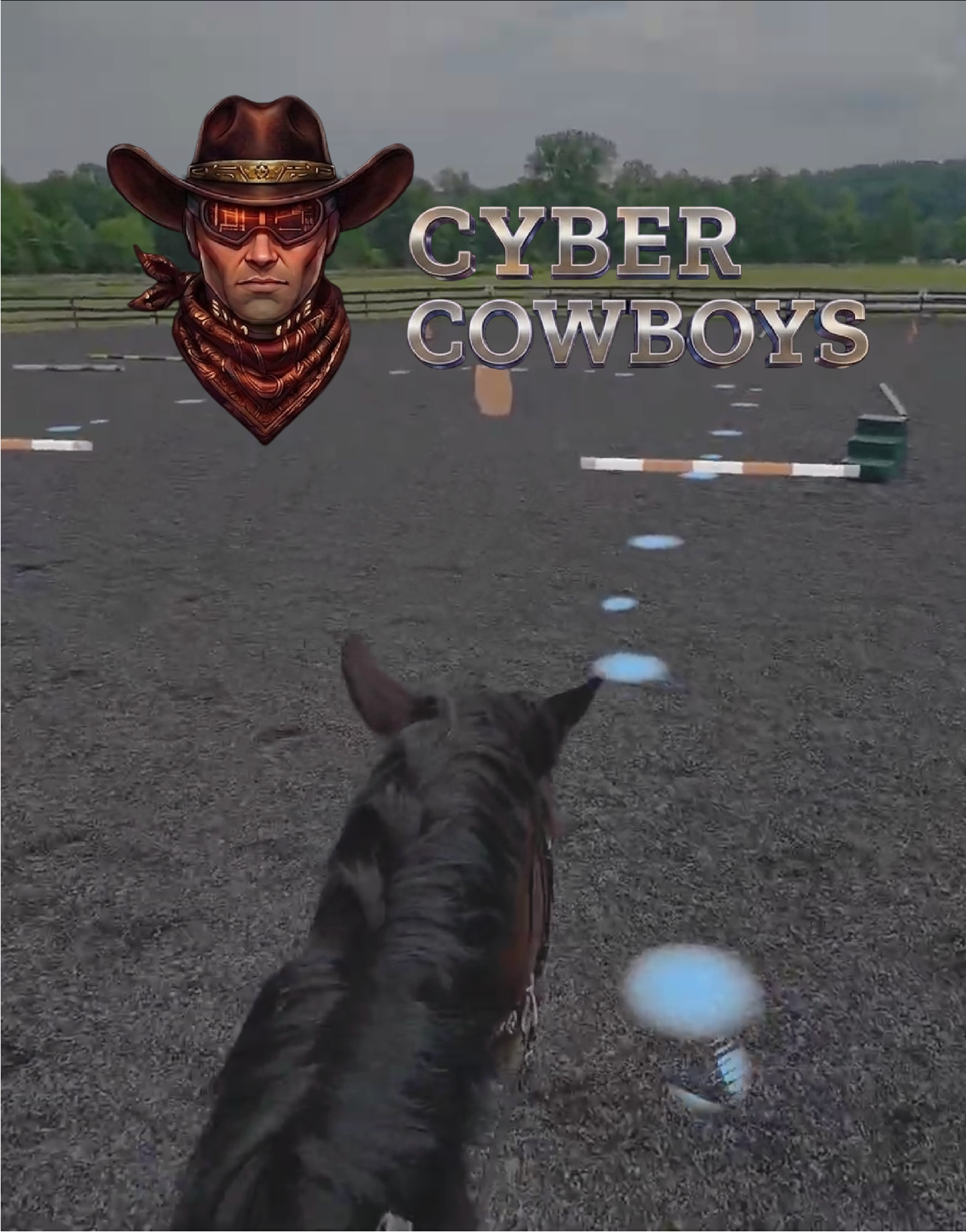
After volunteering in assistive equine therapy sessions, we noticed something. Some riders with disabilities have a hard time receiving verbal instructions — but they respond beautifully to tactile ones. That insight gave rise to ReinGuide, our digital reins that let an instructor send gentle directional cues straight into a rider's hands.
Spectacles is the technology we'd been waiting for to take that idea further. CyberCowboys is the next step: an augmented-reality riding experience where a lesson becomes something you can see, laid out on the real ground in front of you — from elementary basic commands all the way up to advanced jumping courses.
Meet ReinGuide →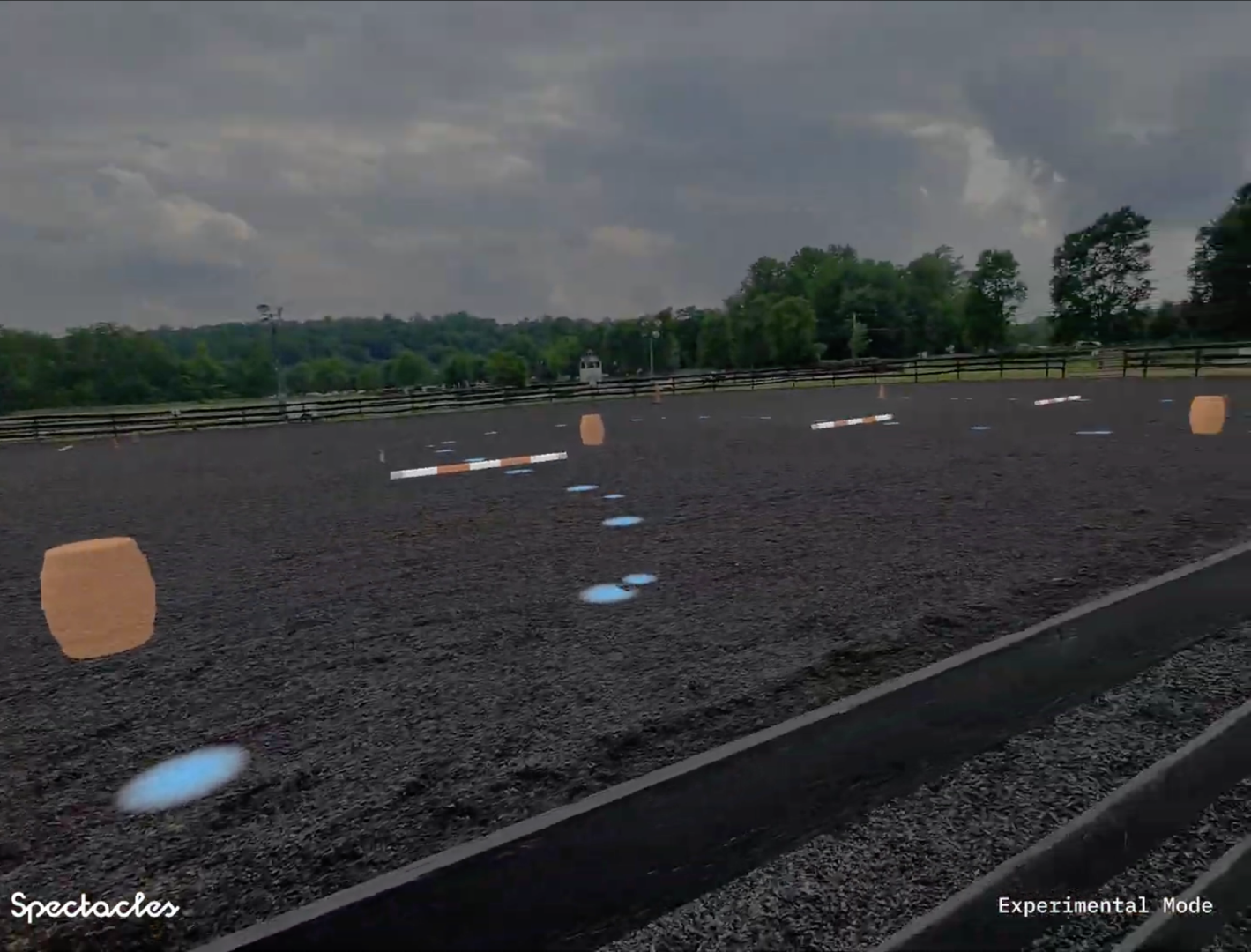
Pick or design a course on the screen, then turn around — and ride straight into it.
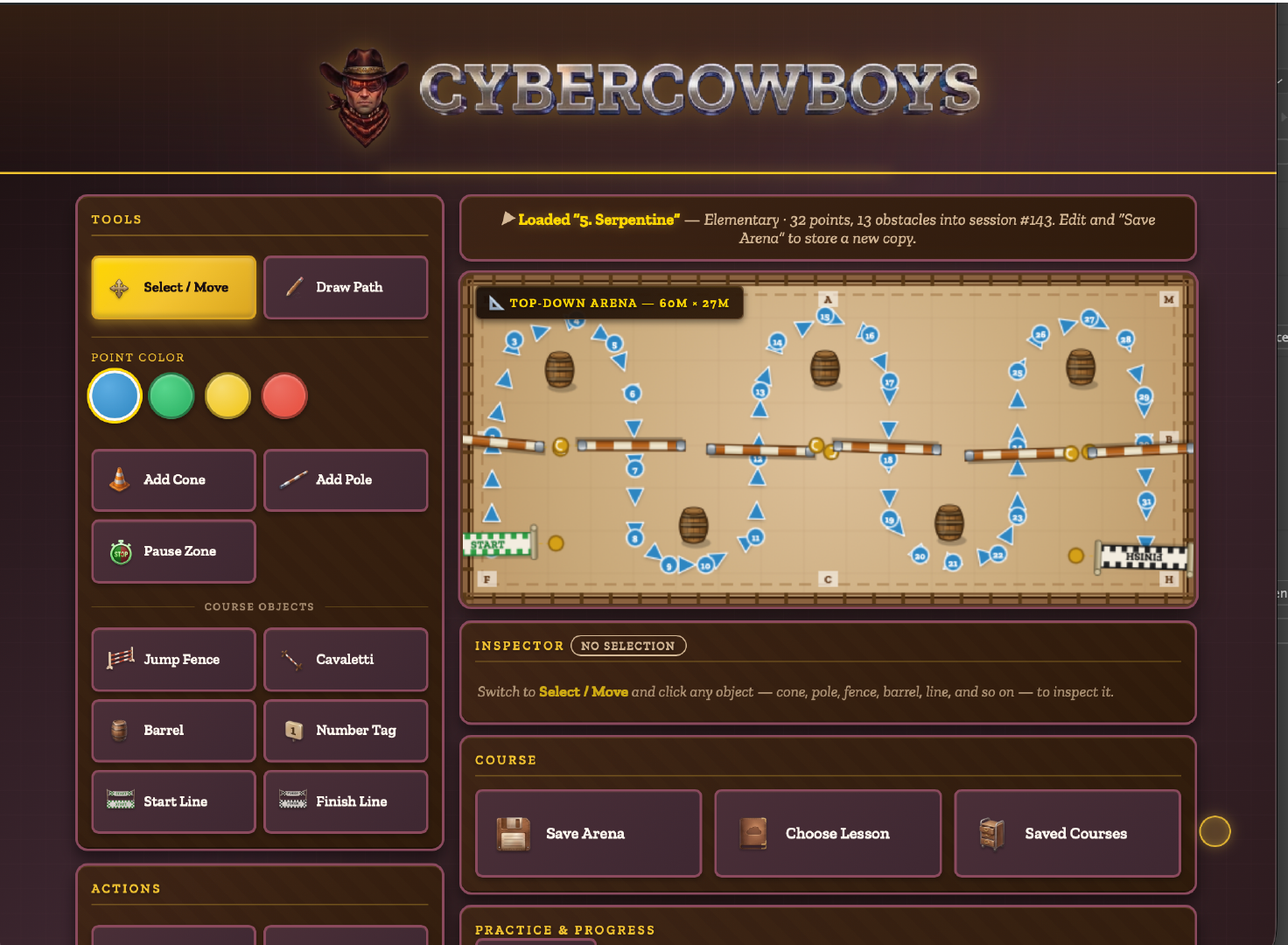
Design or choose an arena from the CyberCowboys website — inside the Spectacles WebView, on a phone, or on a computer. The moment you save it, the 3D course appears on the real ground through your Spectacles, updated live.
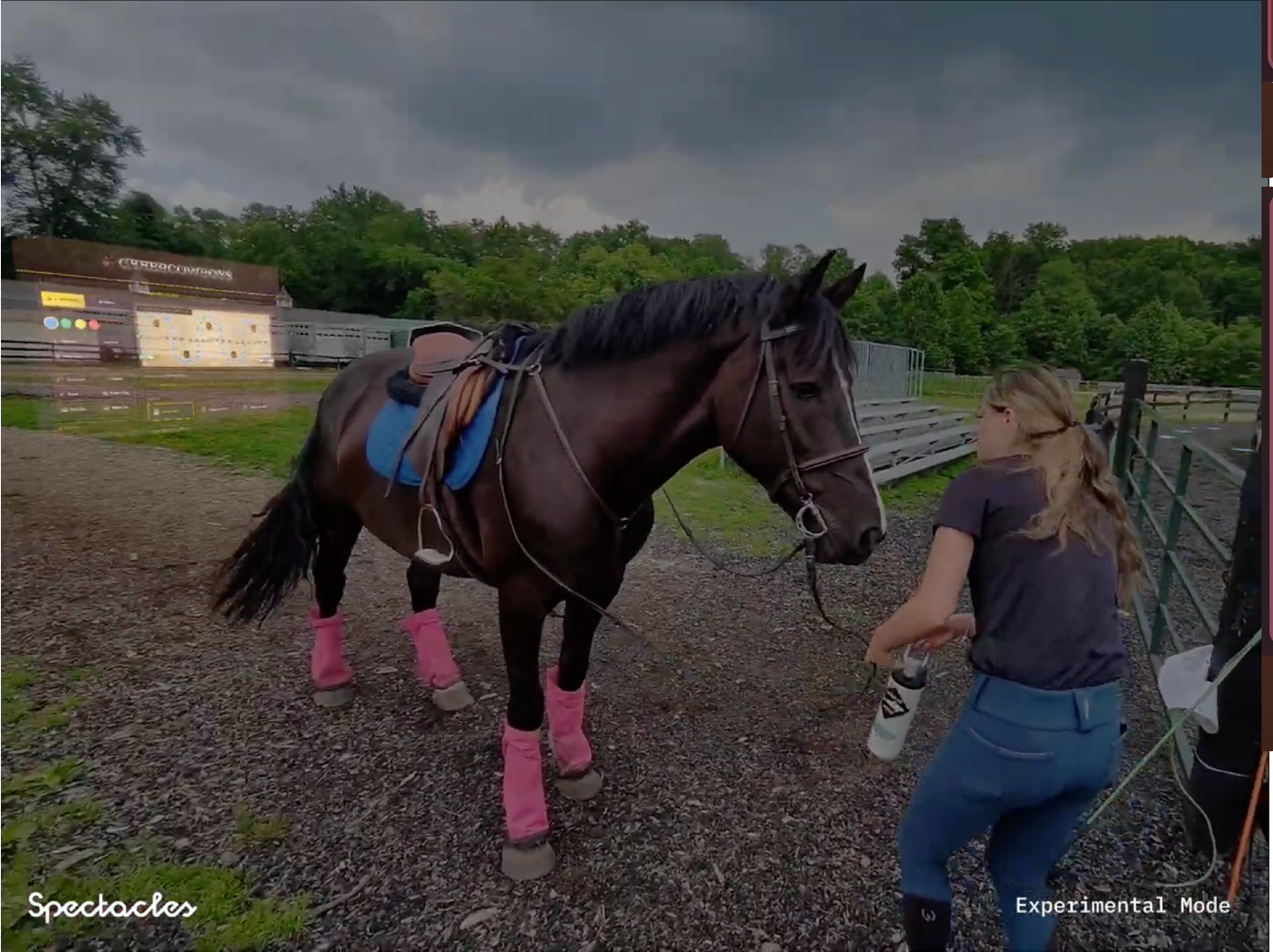
The CyberCowboys site renders right inside Spectacles, so you can build and switch lessons without ever taking the headset off.
Turn around and the obstacles and the glowing path are laid onto the real arena floor at true scale — cones, poles, barrels, jumps, and stop zones.
Look at the ground and hold steady — the lens finds the real floor and drops the entire course onto it, so nothing floats at eye level.
A WebSocket connection pushes every edit from the website to the headset within about a second — change the course, see it change in AR.
English riding lessons grouped into four levels. Start with stop-and-walk transitions and build all the way up to jumping. Pick a ready-made lesson or design your own.
Stop-walk transitions, basic commands, steering — communicating with the horse.
Half turns, circles, serpentines, and pole grids — curves and rhythm.
More complex patterns and transitions, building precision and control.
Jumping courses — the full arena, the full challenge.
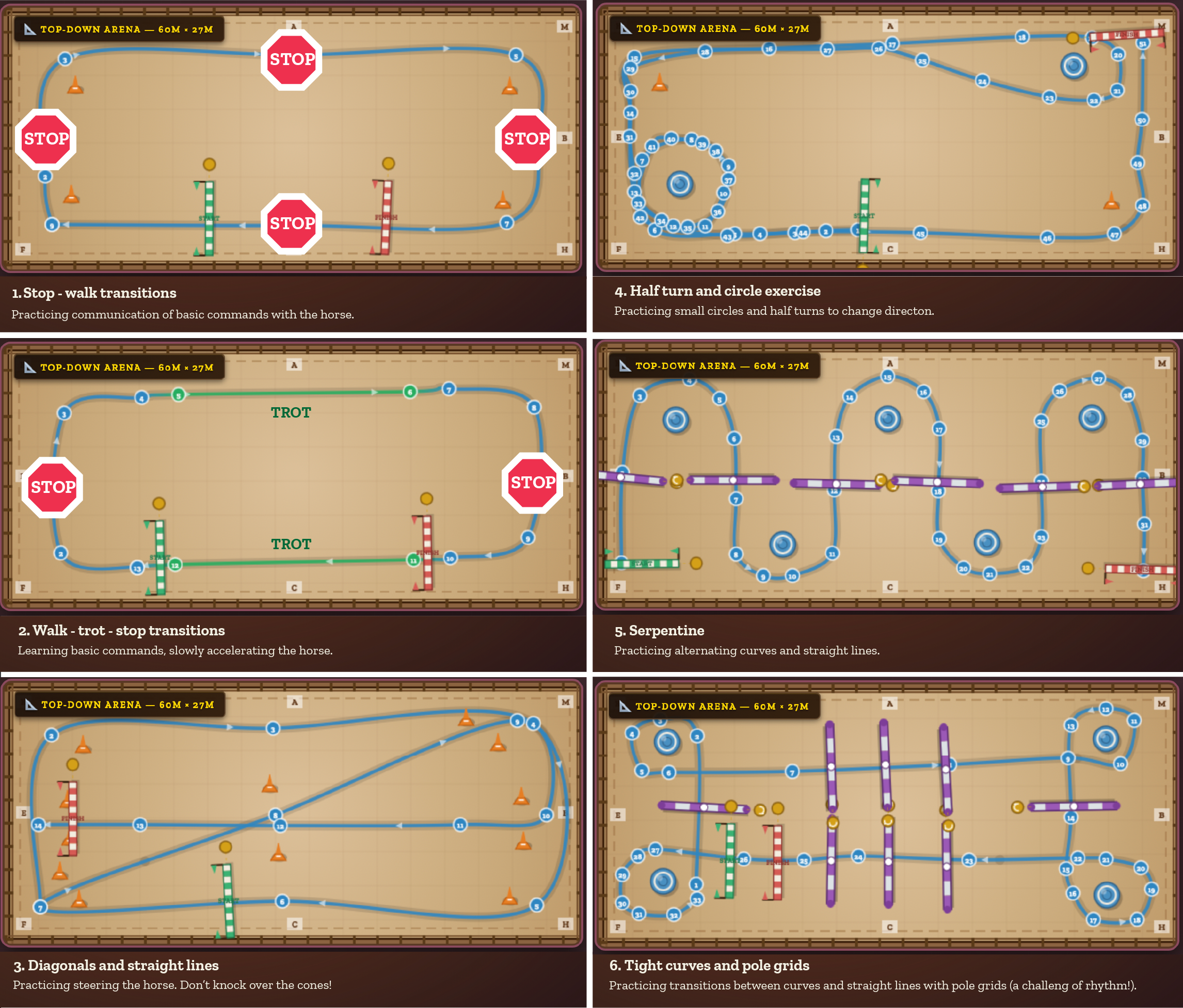
A library of ready-made courses — each a top-down arena with a drawn path, obstacles, and numbered waypoints.
Lay out your own course on a top-down arena: drop cones, poles, barrels, jump fences, cavaletti, stop zones, number tags, and start/finish lines, then draw the path the horse should follow. Save your arrangements and reload them whenever you want to practice.
Place obstacles and draw the path point by point, in any color, directly on the arena map.
Store named courses to a library and pull any of them back up for the next session.
Works in the Spectacles WebView, on a phone, or on a computer — the same arena, everywhere.
Every real arena is a different size and faces a different way. Calibration mode lets you set your arena's true dimensions and heading, then rotate, scale, and slide the virtual course until it sits exactly on top of your real one. The rider stands at the midpoint of the near edge, looking in — and everything lines up from there.
Open the live app →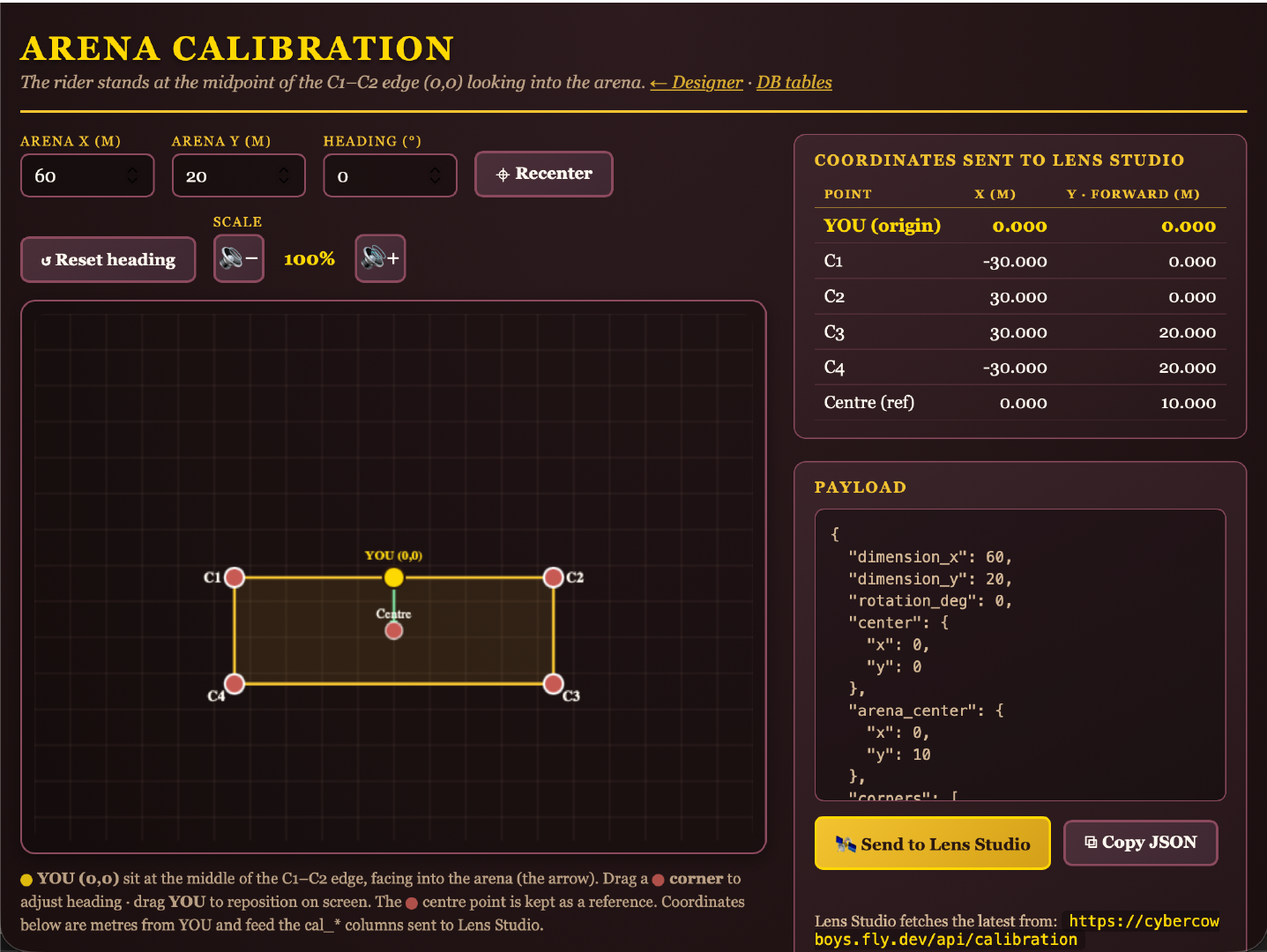
CyberCowboys has two halves that talk to each other in real time: a website that designs and stores the courses, and a Spectacles lens that renders them in augmented reality on the real ground.
HTML, CSS, and vanilla JavaScript with a Node.js backend, hosted on Fly.io at cybercowboys.fly.dev.
An SQLite database stores every obstacle, path point, arena dimension, calibration, and saved course.
A WebSocket pushes live database snapshots to the headset, so edits appear in AR within about a second.
A Lens Studio project uses a WebView for the site, plus floor detection and a live arena streamer in TypeScript.
Born from assistive equine therapy, CyberCowboys turns an abstract lesson into something a rider can see and follow — and that clarity helps everyone in the arena.
A visual path to follow complements tactile cues — guidance that doesn't depend on spoken words.
Lay out a lesson once, save it, and run riders through the exact same course every time.
Seeing the route on the ground makes early lessons less abstract and far easier to follow.
A genuinely fun way to practice riding patterns — gamified, visual, and repeatable.
Multi-player sessions — so an instructor and rider (and friends) can share the same augmented arena at once.
Deeper ReinGuide integration — pairing the AR path with tactile cues sent straight to the reins.
Try the live app, design an arena, or get in touch to help us bring augmented riding lessons to more therapy centers and stables.